
Your Google Shopping data, inside Claude and ChatGPT
The Clarmix MCP server gives Claude, ChatGPT and other AI assistants read-only access to your Google Ads, Merchant Center and Clarmix data. Built for e-commerce, it let you ask about campaigns, products or feeds in plain language and get answers built on your own data.

Your store's data is spread across three tools
Answering one client question often means Google Ads, Merchant Center and a spreadsheet
Reports take hours
Pulling campaign, product and feed data together for a client review means exports, filters and copy-paste across tools.
Product issues hide between tools
A disapproved product in Merchant Center and a drop in Shopping spend show up in different places, so the link between them is easy to miss.
Your AI assistant can't see your accounts
Claude and ChatGPT can explain PPC in general, but without a connection they can't read your clients' campaigns, products or feeds.
What the Clarmix MCP server gives your AI assistant
One read-only connection, three data sources, in the assistant you already use
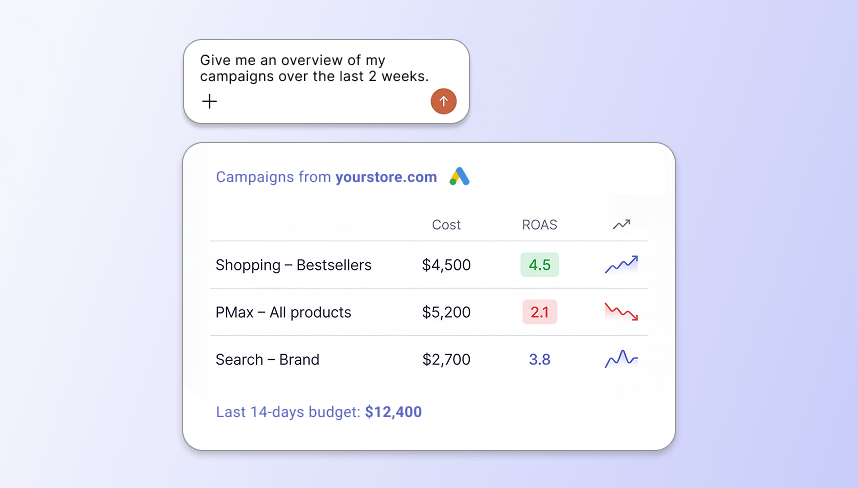
All your Google Ads data
Campaigns, products, budgets and performance: ask about anything in the Google Ads accounts you manage.
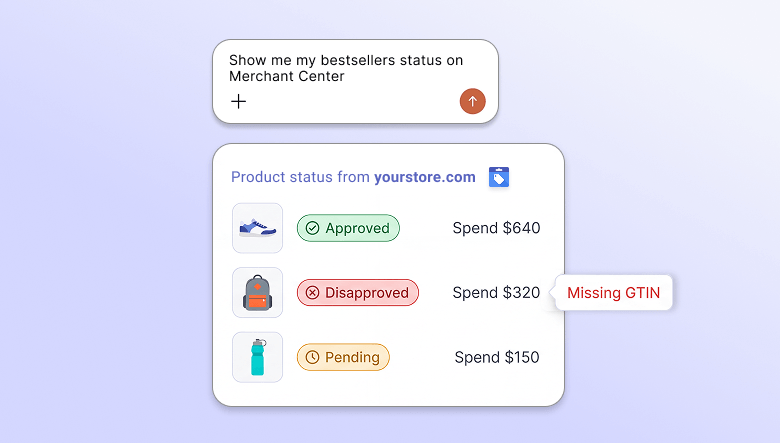
Your Merchant Center data
Product statuses, disapprovals and attributes from Merchant Center, next to the ad performance of the same products.
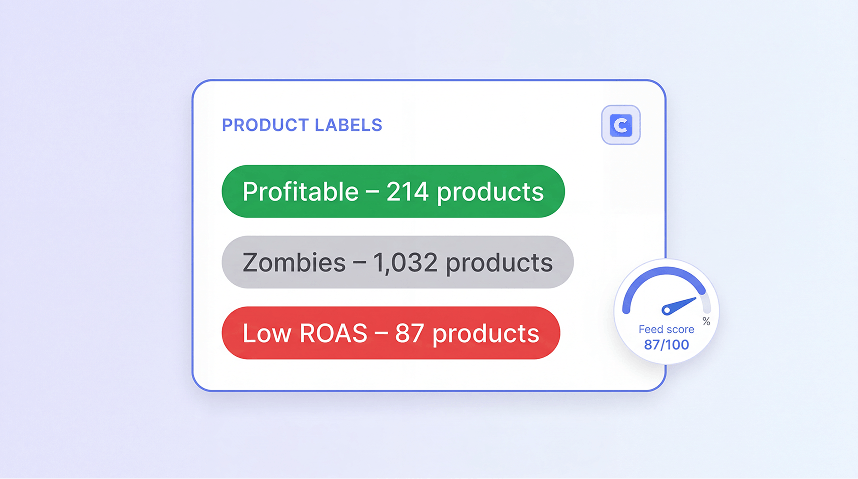
Your Clarmix data
Product labels, feed audit scores and PMax insights from Clarmix, so answers start from products that are already segmented.
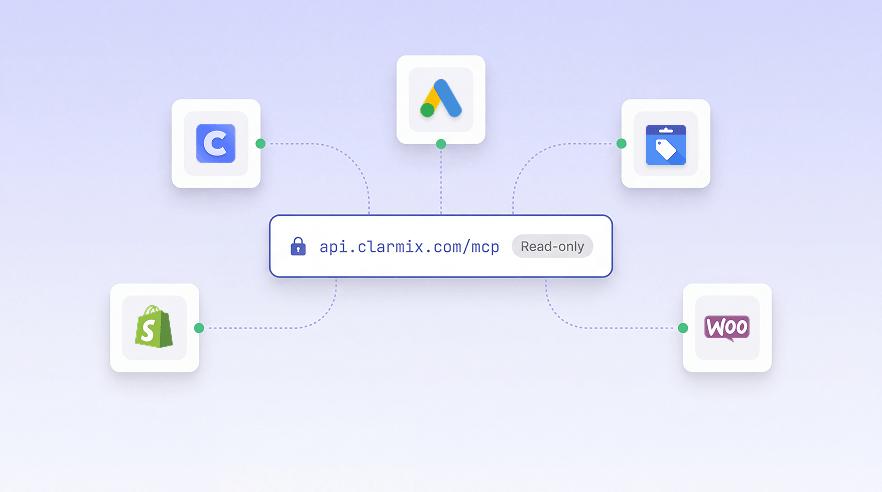
Works in Claude, ChatGPT and more
Connect Clarmix to Claude, ChatGPT, Cursor, VS Code or any assistant that supports remote MCP servers, and work in the assistant your team already uses.
How it works
Connect Google Ads and GMC to Clarmix via Google's official APIs, 100% secured.
Add the Clarmix MCP server in Claude or ChatGPT. Requires a paid Clarmix plan.
Ask about a client account, a campaign or a single SKU, the way you would ask a colleague.
The assistant retrieves the Google Ads, Merchant Center and Clarmix data it needs and answers with your numbers.
Available tools
21 read-only tools: none of them can change anything in Clarmix, Google Ads or Merchant Center.

Your Clarmix accounts (2 tools)

Google Ads (9 tools) · live data

Merchant Center (4 tools) · live data
Clarmix features (6 tools)
Guided analyses: 25 ready-made analyses chain these tools for you, for example account_audit, wasted_spend_finder, pmax_vs_standard_shopping, gmc_health_check, ai_search_readiness and conversion_tracking_audit. In Claude Desktop and Claude Code they appear as slash commands.
Built for PPC specialists managing e-commerce stores
Examples of questions you can ask about a client's account
Wasted spend
“Which products spent the most in the last 30 days without a conversion, and which Clarmix label do they have?”
Feed issues
“Which products disapproved in Merchant Center were among my top spenders last month?”
PMax review
“How much of each Performance Max campaign's spend went outside Shopping this month?”
Client reporting
“Summarize this client's week: spend, revenue, top products and new Merchant Center issues.”
Budget pacing
“Which campaigns are on track to overspend or underspend their budget this month?”
Label check
“How many products are in each Clarmix label, and which of them have an open Merchant Center issue?”
Trusted by top performance agencies & fast-growing e-commerce brands



.png)
.avif)





F.A.Q about the Clarmix MCP server
Everything you need to know about connecting Claude or ChatGPT to Clarmix
It's a connector that lets Claude and ChatGPT retrieve your Google Ads, Merchant Center and Clarmix data, so you can ask questions about your accounts in plain language. MCP (Model Context Protocol) is the open standard these assistants use to connect to other tools.
Claude and ChatGPT, or any other AI surfaces accepting MCP.
All the data in the Google Ads and Merchant Center accounts connected to Clarmix, plus your Clarmix data, such as product labels, feed audit scores and PMax insights.
PPC consultants and agencies who manage Google Ads for e-commerce stores, and in-house teams who want answers from their account data without exports.
Yes, with a paid plan. The assistant reads the Google Ads and Merchant Center accounts you've connected to Clarmix, so you need a paid Clarmix account with those accounts linked.