
Stop wasting 80%
of your Google Ads budget on wrong products.
Clarmix labels your SKUs in real-time to automatically cut wasted ad spend and scale your best-sellers.
In Google Shopping, ROAS is king
Without knowing, brands waste their PPC budget on underperforming SKUs
Your products behave differently
Your catalog is a moving target. A product that was costly last week could be profitable today. Clarmix continuously tracks your SKU evolution, uncovering hidden opportunities and catalog insights you've never seen before.
Your budget is not allocated on the right SKUs
Google's PMax decides which products to promote, but it rarely picks your most profitable ones. This leaves your best-sellers starved for visibility while underperformers eat up your budget. Labelizer fixes that.
Setups are too technical
Setting up product scoring with other tools is tedious. Clarmix Labelizer eases the whole process. Whether you want to launch instantly with our plug-and-play labels or build fully tailored ones, you can get it live under 10 min!
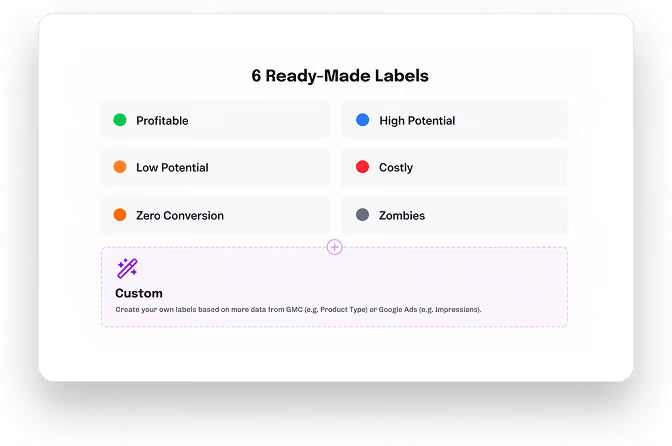
Six ready-made labels
We label products based on their volume (clicks), target ROAS and cost/conv.
Profitable
Your absolute best performers, defined by high conversion rates and strong ROAS. Ensure these products get top priority in your PMax and budget.
High Potential
These products contribute to your profits but aren't quite champions. They perform slightly over target rules and belong in your feed, just with a lower priority.
Low Potential
They contribute to your revenue by generating direct sales or cross-sells, but perform just below your target ROAS. They are close to becoming your next High Potential SKUs.
Costly
Beware of these money-drainers! They attract clicks but cost more than they earn. Exclude or limit these underperformers to instantly optimize your ad spend.
Zero Conversion
Products with impressions, but generating no sales. You should avoid allocating too much budget to them.
Zombies
These SKUs are active in Google Ads, but not spending your budget or receiving traffic. They usually represent 50+% of your catalogue.
Create your own!
Create custom labels based on more data from Google Ads (e.g. last-30 days clicks) or GMC (e.g. Custom Label 1).
Why use Clarmix Labelizer?
Reallocate your PPC budgets so it better fit your P&L
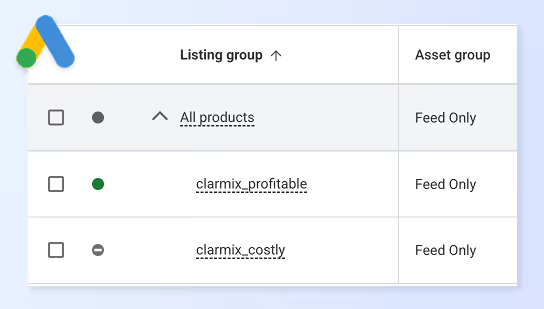
Cut costly products in your campaigns
Pinpoint underperforming products and cut them to save money. Optimize your campaign by focusing resources on high-ROI items.
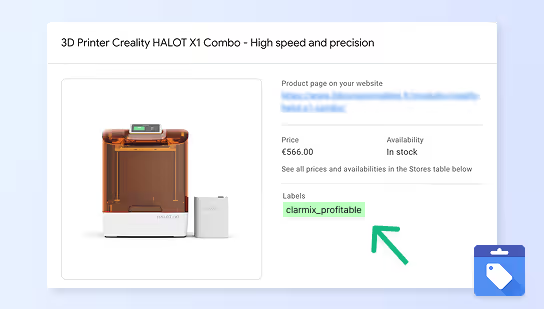
Increase spending on profitable products
Identify your top-performing products and allocate more budget to maximize returns. Boost your revenue by focusing on what works best.
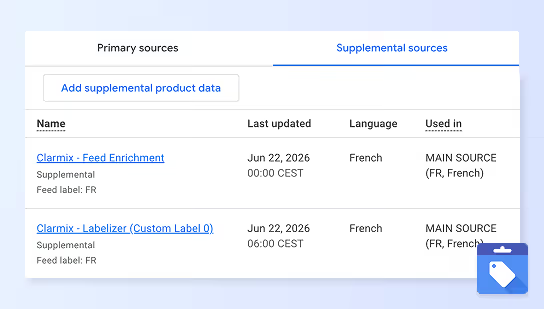
Connect to Merchant Center automatically
Seamlessly integrate with Google Merchant Center for real-time updates. Automate your product listings and keep your data synchronized effortlessly.
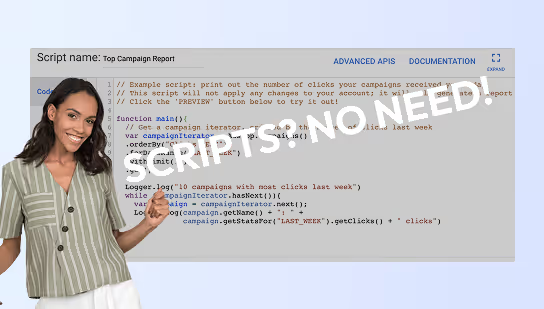
Stop using unreliable scripts
Scripts are unreliable and take manual work. We're using Google official API to classify your products, automatically.
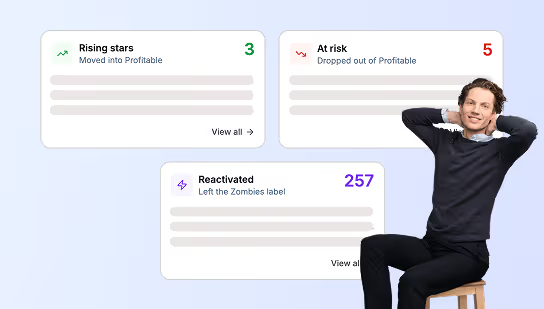
Track product label evolution
Monitor how products move between labels over time to identify trends and opportunities.
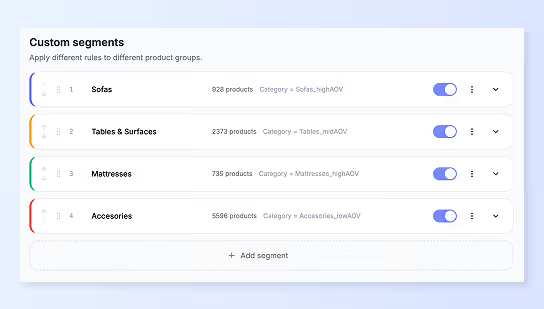
Create product segments
Build advanced segments combining multiple rules (target ROAS, clicks, etc.) for precise targeting.
How it works
Via Google's official API, connect your Google Ads to Clarmix, 100% secured.
Clarmix assigns labels to your SKUs based on their volume (clicks), target ROAS and cost/conv.
Link these product labels to your shopping feed through a supplemental feed in Merchant Center.
Reallocate the budget on your PMax based on the real SKU performance.
The Labelizer in action!
Discover how to use it, and boost ROAS on Google Shopping
Why teams use our Labelizer?
We label products based on their volume (clicks), target ROAS and cost/conv.
Daily updates
Clarmix scans your products everyday, update labels, and send to GMC/Google Ads every morning.
99.9% accuracy
Top agencies use Clarmix for the precision and data accuracy.
Save hours of work
No more scripts and manual spreadsheet work. If you still use Excel, you will enjoy our export features to fit your processes.
Advanced options
Create product segments, custom labels, and tailored reports. Clarmix fits your current strategy and tools.
Is this feature right for you?
Find out if Product Labelization fits your needs
Great fit if...
Not ideal if...
Still not sure? Try it free for 7 days and see the results yourself.
Trusted by top performance agencies & fast-growing e-commerce brands



.png)
.avif)





F.A.Q about Labelizer
Learn how Clarmix helps labeling your Google Shopping products
No, Clarmix creates a supplement feed in your GMC account, so that your primary source remains untouched. Like this, your primary source can keep being updated by your feed manager or CMS (Shopify, WooCommerce, etc.), and the supplemental source created by Clarmix will come on top.
Your feed manager sends data to the primary source of your Google Merchant Center account. Clarmix then retrieves all the products from your primary source. Most feed manager tools are great for normalizing data across many sources, but they aren't specialized in Google Ads. That's why Clarmix always comes on top of your GMC primary source.
The synchronization is made once per day, early in the morning. Your Merchant Center receives up-to-date data from Clarmix and then sends it to your Google Ads account.
No, Clarmix does not override your CMS catalog, whether you are on Shopify, PrestaShop, Magento, WooCommerce, or others. Our tool simply creates a supplemental feed in your Google Merchant Center account containing enriched product attributes. These new attributes are then used on Google Shopping and by most common AI chatbots.