
Easily manage Google Shopping in multiple countries
Set different rules, labels and feeds for each market. Whether your countries share one Merchant Center account or live in separate ones, Clarmix handles it.
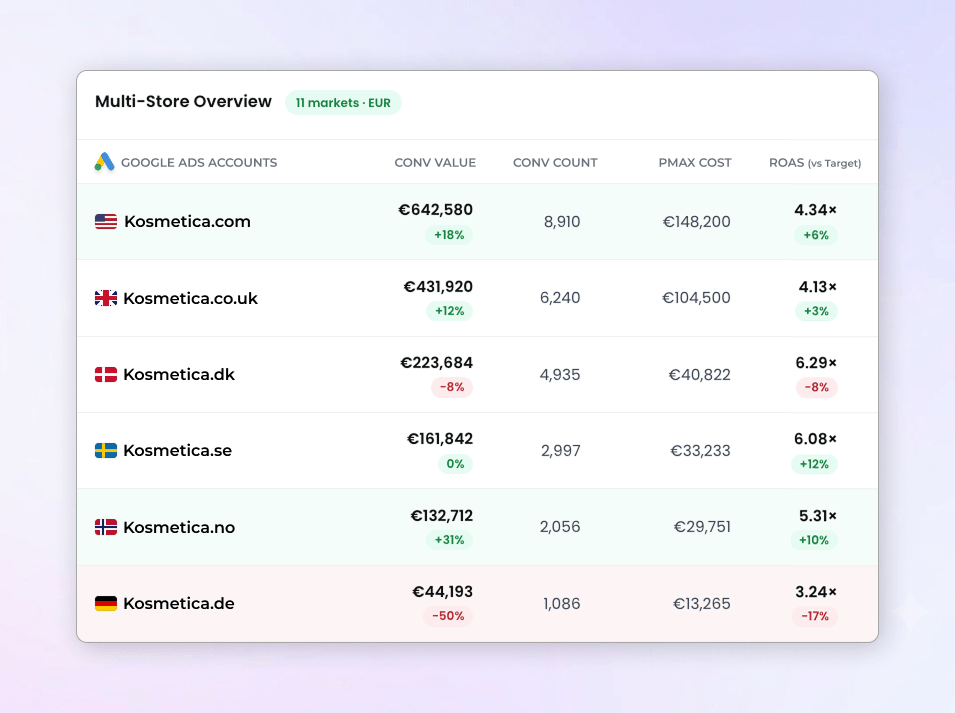
Every market behaves differently
Applying the same rules in every country quietly costs you ROAS
Each country has its own performance
A product that sells well in France can flop in Germany. With a single target ROAS for all markets, you hide the winners and the losers of every country.
Your budget isn't steered country by country
Without country-level labels, it is hard to decide where to push budget and where to cut, especially when you launch a new market and have no data yet.
Multi-country setups are too technical
Several primary feeds in one Merchant Center account, or one account per country? Clarmix handles both natively, with no scripts to duplicate and maintain for each market.
Why use Clarmix for multiple countries?
Stay in control of every market without multiplying your workload
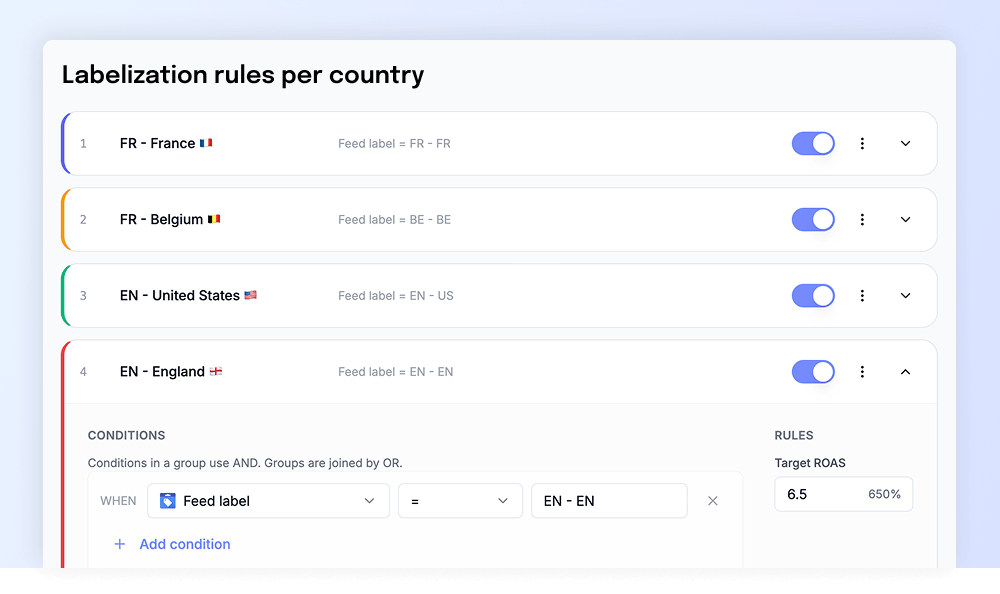
Set different rules for each country
Define target ROAS, minimum clicks and minimum cost by country, so each market is judged on its own economics.
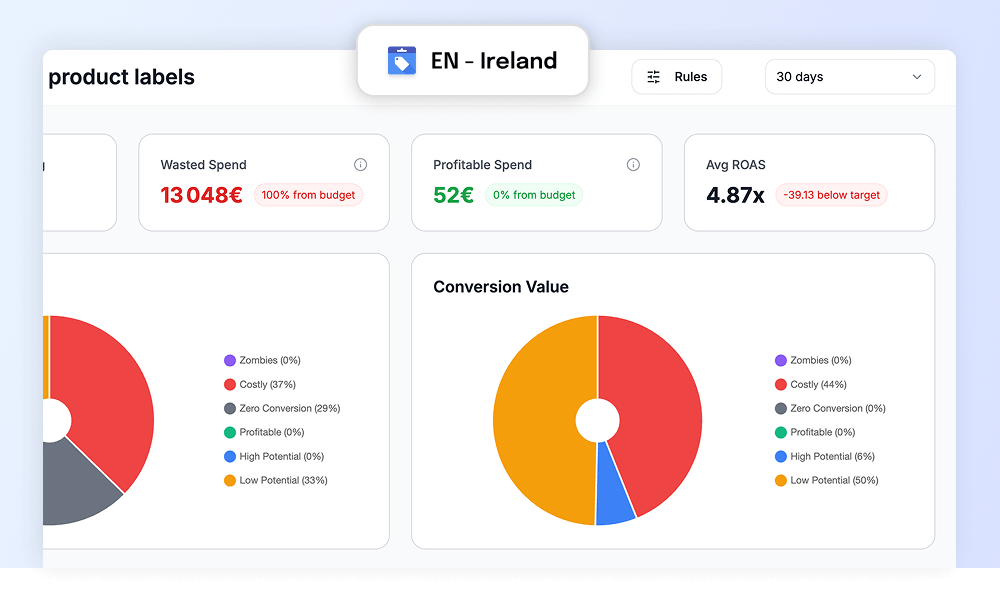
Filter country & language on reports
Filter your dashboard by country or language to see exactly how each market performs.
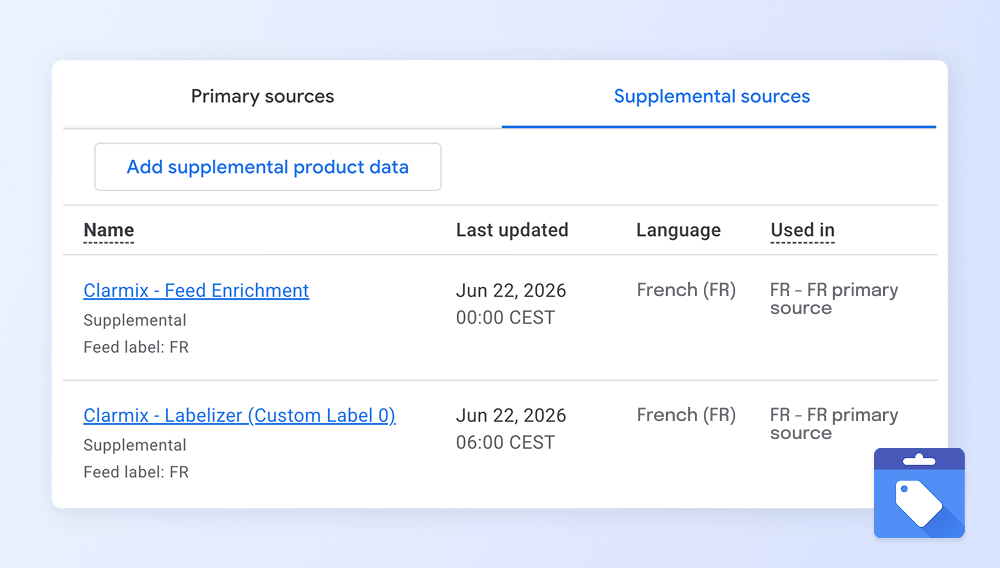
Auto-create supplemental feeds for each market
For each market/country (primary feed), a supplemental feed is created automatically. Your primary feeds are never modified.
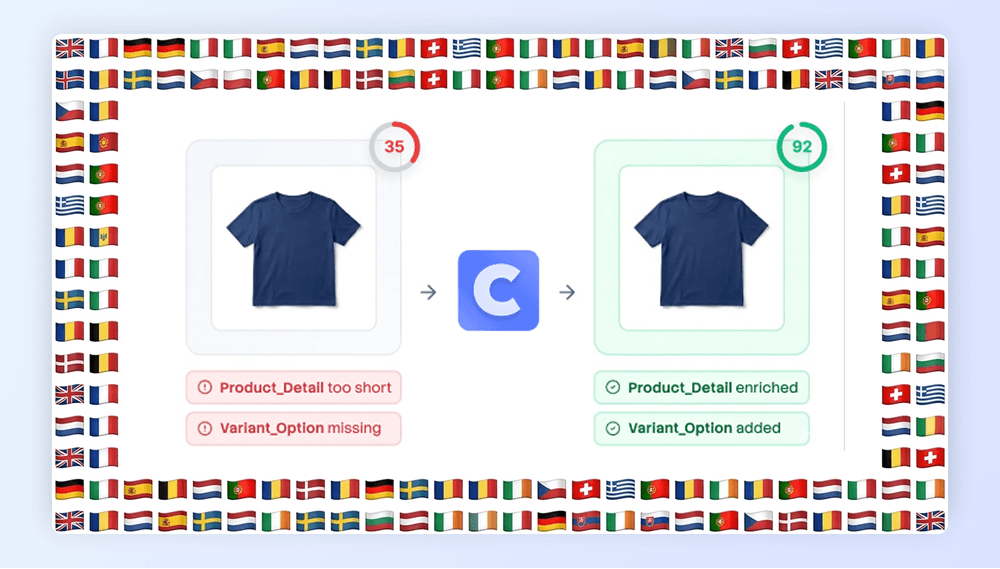
Enrich your products in 40+ languages
Generate titles, descriptions and categories in the language of each market with AI, keeping the same brand guardrails.
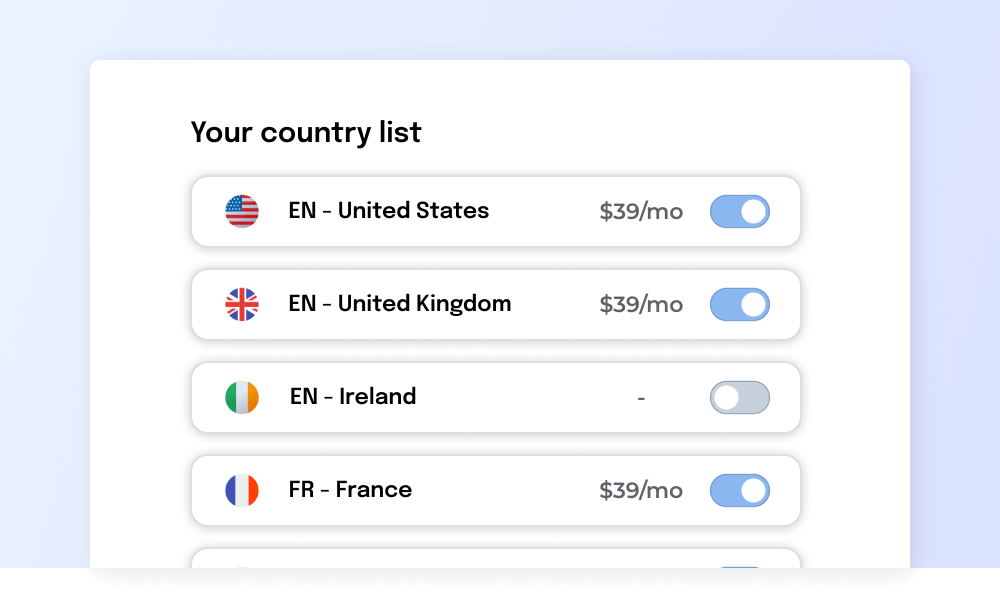
Pay only for the markets you activate
Choose which feeds and markets get a monthly plan. If you don't advertise in a country, simply don't activate it.
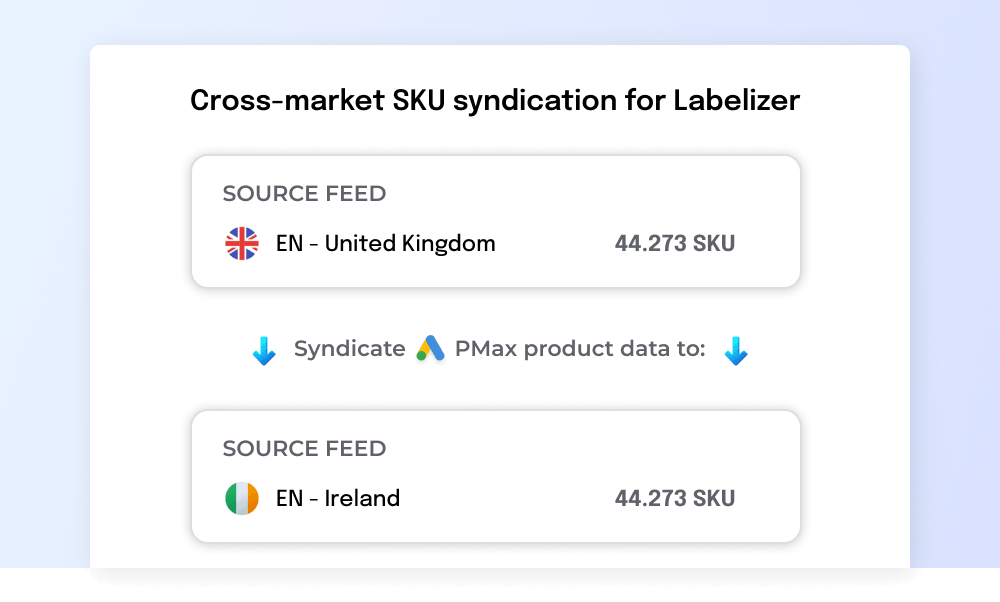
Cross-country data consolidation
Consolidate product data from Google Ads across countries. Particularly useful when launching a new market.
How it works
Via Google's official APIs, 100% secured.
Clarmix natively handles all the countries of your brand. Activate only the markets you advertise in.
Choose tROAS, minimum clicks, etc. per market. Then let Clarmix label your SKUs accordingly.
Clarmix creates a supplemental feed for each country in Merchant Center.
Is this feature right for you?
Find out if multi-country management fits your needs
Great fit if...
Not ideal if...
Still not sure? Try it free for 7 days and see the results yourself.
Why multi-country brands choose Clarmix?
Run every country with the same control, in a fraction of the time.
Daily updates
Clarmix scans your products every day, updates labels, and sends them to GMC/Google Ads every morning, for each active country.
One dashboard
Switch between countries and languages with a filter instead of juggling accounts and spreadsheets.
Save hours of work
No more duplicated scripts or one spreadsheet per country. Set it up once and extend it to every market.
Flexible by market
Different rules, labels and languages per country, while keeping one consistent strategy across your account.
Trusted by top performance agencies & fast-growing e-commerce brands



.png)
.avif)





F.A.Q about multiple countries
Learn how Clarmix handles Google Shopping across several markets
Yes. In the settings page, you're able to activate the countries or markets of your choice in Clarmix.
Yes. You can set your own rules per country inside Clarmix. Simply select the associated country and set target ROAS, minimum cost per conversion, minimum clicks, etc.
Yes. Clarmix handles that natively. You should have one primary feed per country, and Clarmix will create the associated supplemental feeds in your GMC account in one click! You won't even have to do it yourself.
Yes. Whether your countries/markets are all gathered in the same GMC account or are in separate ones, Clarmix handles both natively. The interface has been set up so you can manage them all from the same Clarmix account, gaining visibility across your countries and saving time.