Google Ads Claude MCP for E-Commerce Stores: Setup Guide
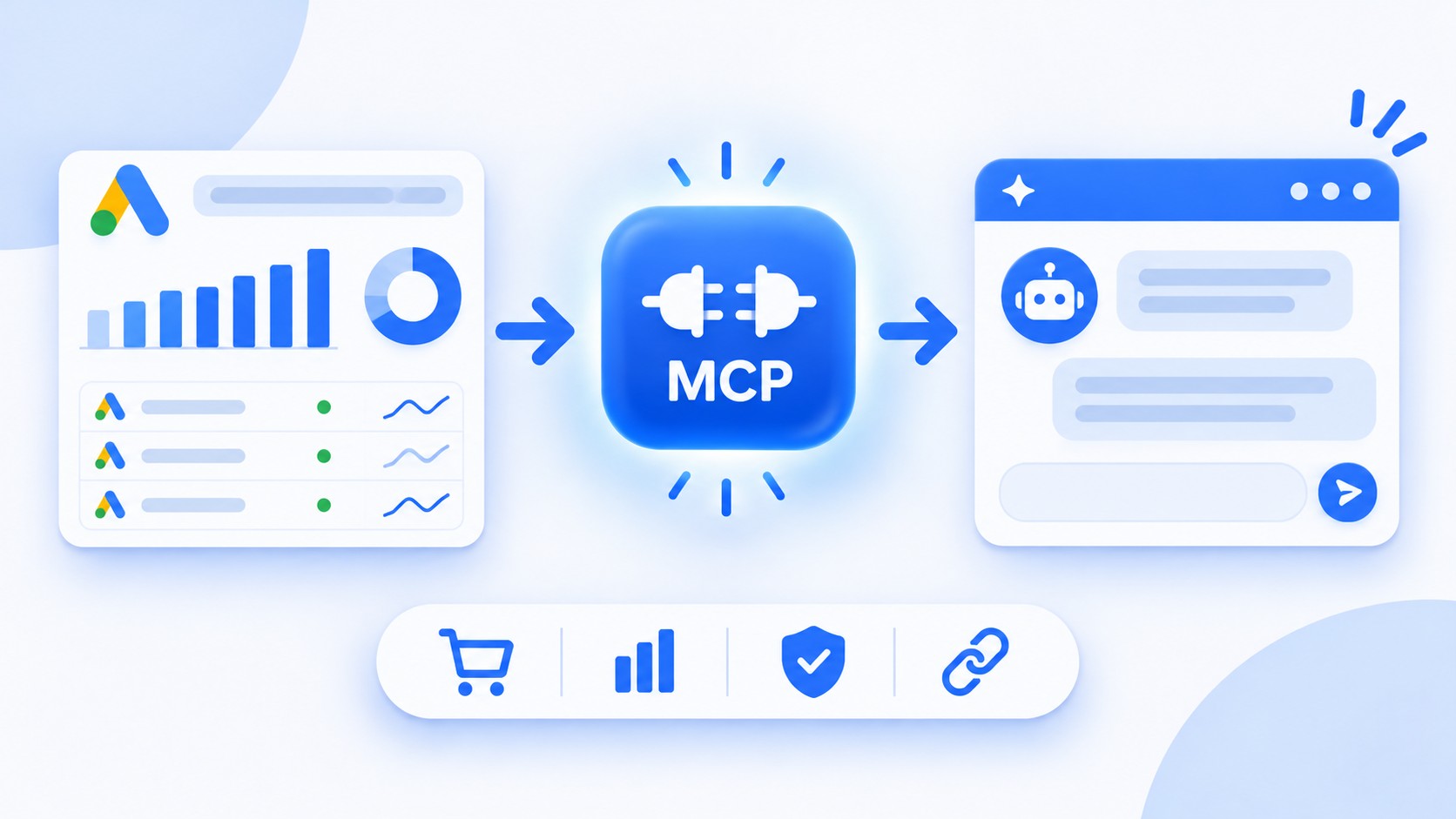
Connect Claude to Google Ads with Google's official MCP server. See what it can read, what it cannot change, and how stores can set it up.
The Google Ads MCP server is a read-only bridge that lets Claude query Google Ads data in plain language. Google publishes it as an official, open-source project, and it ships with three tools. You ask a question about campaign performance, the server runs the query, and Claude explains the result. The server is read-only, so Claude can analyze your ad spend but cannot change it.
For a store owner, that means you can ask about spend and conversions directly instead of exporting reports. This guide covers what the server can and cannot do, how to connect Claude, and what to watch for on security and accuracy.
What the Google Ads MCP server is
MCP, the Model Context Protocol, is an open standard for connecting AI applications to external systems. Google's Google Ads MCP server guide describes the server as a bridge to the Google Ads API, and the code lives in the googleads/google-ads-mcp repository under the Apache 2.0 license.
The server exposes three tools, which are all read tools:
| Tool | What it does |
|---|---|
| list_accessible_customers | Returns the IDs of the accounts the signed-in user can access |
| search | Runs a Google Ads Query Language (GAQL) query against an account |
| get_resource_metadata | Describes the fields available for a resource such as a campaign |
The server also provides read-only reference resources, such as metrics, segments, and release notes (four resources in total), so Claude can build a correct query instead of guessing field names.
What it cannot do
The official server is built for reporting, not for changes. Google's page describes it as read-only, and the repository lists no tools that create or edit anything. Claude cannot pause a campaign, change a budget, or edit a bid through it. If you want Claude to take those actions, you would need a different connector with write access, and that comes with more risk. Review any write tool carefully before you approve a change to a live account.
| Connector type | What Claude can do | Main risk | Best for |
|---|---|---|---|
| Read-only (Google's server) | Query reports, list accounts, inspect fields | Data is shared with the model | Audits, weekly reviews, spend checks |
| Write-enabled (third-party) | Also edit budgets, bids, or campaign status | An unreviewed change reaches a live account | Teams with approval rules in place |
What e-commerce stores can ask Claude
Because the server speaks GAQL, Claude can answer most reporting questions on its own. Useful prompts for a store include:
Spend and return: "Which Shopping campaigns spent the most last month, and what was the conversion value for each?"
Search terms: "Show search terms that cost money without a single conversion in the last 30 days."
Budget pacing: "Compare this week's ad spend with last week's and flag any campaign that changed sharply."
Product focus: "Which product groups drive the most clicks but the fewest sales?"
Treat the answers as a starting point. Claude explains what the data shows, but you decide what to do with it. If a number looks surprising, check it in the Google Ads interface before you act.
How to connect Claude to Google Ads
The repository README lists the full setup. In short:
Create a Google Cloud project and enable the Google Ads API in it.
Set up OAuth 2.0 credentials. The README describes three options, including Application Default Credentials, and the credential must include the Google Ads API scope, which is what authorizes the server to read your account.
If you reach your account through a manager account, set the login customer ID so the server knows which account to use.
Install the server with Python 3.10 or newer, using the pipx command in the README.
Add the server to your MCP client. The README includes examples for Claude Code, Cursor, and other clients, and Claude Desktop reads the same kind of configuration.
Ask Claude to list your accessible accounts. If it returns your account ID, the connection works.
The README lists a Google Ads developer token as optional, depending on your setup, so check Google's current guide before you apply for one. Google's guide also describes a remote setup on Cloud Run for a custom connector in Claude.ai, which suits teams that want one shared connection instead of a local install on every laptop.
Security and accuracy
Read-only does not mean risk-free. The README warns that the server exposes your data to the agent or language model you connect to it, so only connect accounts you are comfortable sharing. Keep credential files out of any shared repository, and run the server locally when only you need it. Because Claude writes the queries, spot-check results against the Google Ads interface, especially for large accounts.
Why your feed still matters
An MCP connection tells you how your ads perform. It does not fix what drives them. Shopping campaigns depend on product data, so weak titles or missing attributes will show up as low clicks and poor conversion no matter how well you analyze them. Our key points for an optimized Google Shopping feed are a good place to start. Google also offers an alpha Merchant API MCP service for Merchant Center data, which pairs well with the ads server once you want the full picture. For a practical checklist on the data side, read our guide to Google Shopping feed optimization.
Frequently asked questions
Is there an official Google Ads MCP server?
Yes. Google maintains it in the googleads/google-ads-mcp repository, and Google's developer site documents it.
Can Claude change my campaigns through it?
No. The official server only reads data, so Claude cannot pause campaigns or change budgets through it.
Do I need to write code?
You need to run a few setup commands and edit a configuration file. If that sounds unfamiliar, ask a developer to set it up once.
Final thoughts
Connecting Claude to Google Ads turns campaign reports into a conversation, and the official server keeps it safe by staying read-only. The better your product data, the more there is to gain from those answers. Clarmix Feed Enrichment improves the titles and attributes in your Google Shopping feed so your campaigns start from a stronger base.
Sources
Join our monthly tips!
Get fresh insights on Google Shopping optimization delivered straight to your inbox.