DataFeedWatch alternatives for Google Shopping agencies
Compare DataFeedWatch alternatives for Google Shopping agencies: feed tools that replace it and Google tools that add labels and enrichment on top, with 2026 prices.
The strongest DataFeedWatch alternatives for a Google Shopping agency are Channable, Feedonomics, GoDataFeed and Feedance if you need to replace the feed tool, and Reaktion's Labelizer or Clarmix if what you really need is more depth on Google Shopping and Performance Max (PMax) on top of the feed you already have. DataFeedWatch's Agency plan costs $239 per month, or $198 per month billed yearly, for up to 30,000 SKUs and unlimited shops as of November 2026, so any switch should beat that on price per client, workflow or Google-specific features.
This comparison is written for agencies and freelancers who manage Merchant Center feeds for several stores. Every price and feature below comes from the vendor's own pages, checked in November 2026. Channel counts and customer numbers are vendor claims, not audited figures.
What does DataFeedWatch offer agencies today?
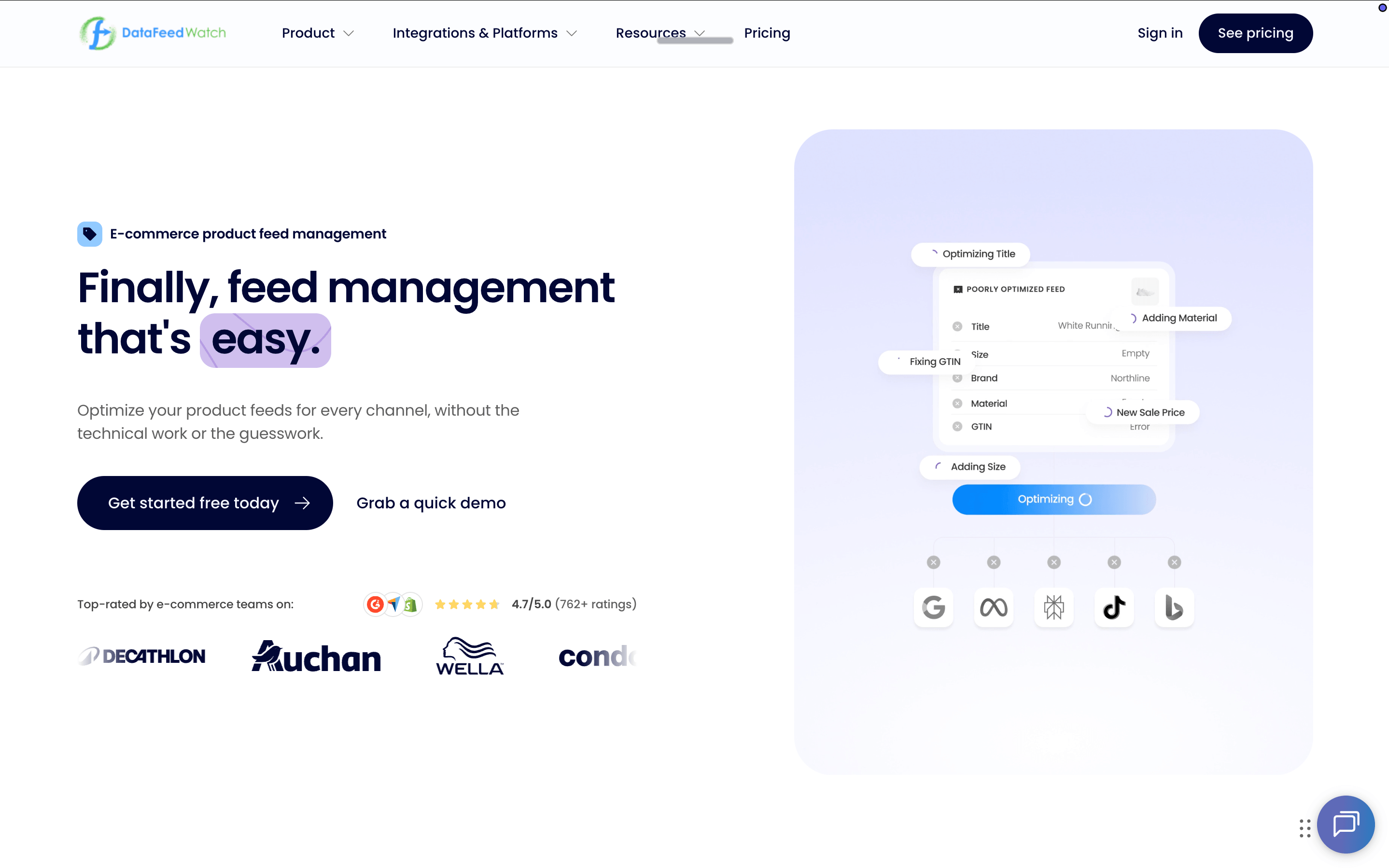
DataFeedWatch is self-serve feed management software. Its homepage claims 2,000+ shopping channels and AI assistants and 18,500+ brands and agencies. The agency page lists the features that make it popular with PPC teams: unlimited shops and up to 150 feeds on the Agency plan, rules you can copy from one client or market to another, manager accounts (MCC), unlimited sub-users, free PPC team trainings and a dedicated customer support agent (DataFeedWatch for agencies, as of November 2026).
On price, the pricing page shows plans billed yearly from $53 per month (Shop, up to 1,000 SKUs), $70 (Merchant, up to 5,000 SKUs) and $198 (Agency, up to 30,000 SKUs), with a 17% discount for yearly billing, a 15-day free trial and extra SKUs from $2 per 1,000. Enterprise is custom from 100,000 SKUs, and managed services start from $750 per month (DataFeedWatch pricing). The agency page shows the Agency plan at $239 per month, which matches the monthly rate before the yearly discount.
Agencies usually start looking at alternatives for one of four reasons:
- Cost per client: SKU caps mean a few large catalogs can push an agency into Enterprise pricing or overage.
- Channel scope: a team that runs Google Shopping and PMax only may pay for 2,000+ channel templates it never uses.
- Service model: some agencies want a vendor team to run the feeds; others want the opposite.
- Google depth: a feed tool edits attributes, but it does not tell you which SKUs waste budget or how PMax spends outside Shopping.
Which DataFeedWatch alternatives should an agency compare?
The table splits the options into two groups: feed tools that replace DataFeedWatch, and Google Shopping tools that sit on top of Merchant Center next to whatever feed source you keep.
Which feed tools can replace DataFeedWatch?
Channable
Channable is a multichannel platform for feeds, feed-based ads and marketplace orders. Its pricing page shows no amounts as of November 2026. A subscription is a package plus a Core plan (Standard, Plus or Pro) plus optional modules, and the package is set by items, projects and channels; the FAQ gives "5K items, 2 projects, 6 channels" as a medium-business example. Each product variant counts as one item, so a T-shirt in three sizes and three colors counts as nine. The free trial has no time limit, but channels need a paid subscription before data is shared with them (Channable pricing).
- Better fit than DataFeedWatch when: clients sell on marketplaces and need orders and stock synced, not only ad feeds.
- Watch out for: variant-level item counting, which can raise the package size for fashion and apparel clients. Our Channable alternatives guide covers the trade-offs from the other side.
Feedonomics
Feedonomics sells a fully managed service. Its BigCommerce app listing describes a team of feed specialists who handle everything from integration setup to ongoing feed maintenance, integrations with 300+ channels, 24/7 support and "Custom Pricing: Flat Monthly Fee" (Feedonomics on the BigCommerce app marketplace, updated April 28, 2026).
- Better fit than DataFeedWatch when: a large client wants to hand the feed to a vendor team and has the budget for it.
- Watch out for: no public price, and less hands-on control for an agency that wants to own the rules. Our Feedonomics alternatives comparison goes deeper on the managed-service model.
GoDataFeed
GoDataFeed uses a plan builder: you set SKU count, PPC channels and marketplaces, and it recommends a tier. With the default inputs (1,000 SKUs), it shows the Plus plan at $99 per month. Extra SKUs cost $5 per 1,000, each PPC channel beyond the plan's allotment costs $29 per month, and marketplace channels need the Pro plan at minimum. There is a 14-day free trial with free expert onboarding, and the page offers custom agency pricing for multi-store accounts, with volume rates and consolidated billing (GoDataFeed pricing, as of November 2026).
- Better fit than DataFeedWatch when: you want consolidated billing across client stores and a quote built around your client mix.
- Watch out for: per-channel add-on costs, and plan SKU allotments that the pricing page does not list in text, so confirm them before you migrate several clients.
Feedance
Feedance combines feed optimization with ad creative. Its features page lists Feed Optimization, Feed Enrichment, Creative Suite, Feed Protection and Feedance AI, a 0 to 100 product score and exports to 200+ channels (Feedance features). Pricing is published in USD: Essentials at $239 per month for up to 250 products with daily feed updates, Business at $359 per month for up to 2,500 products with hourly updates, both shown as billed monthly, and custom Enterprise pricing. Shopify stores that connect through the Feedance app get the feed optimization tools free with no product limit, without Feed Enrichment or the Creative Suite (Feedance pricing, as of November 2026).
- Better fit than DataFeedWatch when: your clients are Shopify stores that need feed rules plus product creative in one tool.
- Watch out for: low product caps on the paid plans (250 and 2,500 products), which make it a poor match for large catalogs outside Enterprise pricing.
Which tools add Google Shopping depth on top of your feed?
Many agencies do not need to leave DataFeedWatch at all. If the feed works but performance is flat, the gap is usually segmentation and product data quality inside Google. Merchant Center lets you create supplemental data sources to enhance your primary product data with additional details (Google Merchant Center Help), and it supports five custom labels, custom_label_0 to custom_label_4, each with up to 1,000 unique values account-wide (Google Merchant Center Help: custom labels). Tools in this group write to those attributes without replacing the primary feed. Our guide to supplemental feeds in Merchant Center explains how the two sources combine.
Reaktion Labelizer
Reaktion, a Danish company, says its Labelizer "scores every product in near real time and adds, updates or removes custom labels automatically" for Google Shopping and PMax. The page names its target user as a store with 100+ products and at least $2,000 per month in ad spend, offers a 30-day free trial and shows no prices on the Labelizer page (Reaktion Labelizer, as of November 2026).
- Better fit than switching feeds when: you want performance-based custom labels to split PMax asset groups or Shopping product groups.
- Watch out for: it does labels, not feed editing, so title and category work still happens in your feed tool. See what a labelizer does and how to use one for the setup.
Clarmix
Clarmix is not a feed distribution tool; it works on Merchant Center data for agencies whose clients advertise mainly on Google. If the reason you are reviewing DataFeedWatch is weak titles or categories, Clarmix feed enrichment runs a free Merchant Center feed audit with a 0 to 100 score per SKU, then proposes AI rewrites of titles, descriptions, Google product categories and product types that you review before they go live. The changes are sent through a supplemental feed, so the client's primary feed, including one built in DataFeedWatch, stays untouched.
For budget decisions, the Clarmix product labelizer labels SKUs daily as Profitable, High Potential, Low Potential, Costly, Zero Conversion or Zombies, based on clicks, target ROAS and cost per conversion, and sends the labels to Merchant Center as custom labels. Pricing is based on the number of products in Merchant Center: a free plan, Premium from $39 per month and a 7-day free trial, with a flat fee per integrated Google Shopping account for agencies regardless of product count (Clarmix pricing, as of November 2026).
- Better fit than switching feeds when: Google Shopping and PMax are the clients' main paid channels and the feed source itself is fine.
- Not the right tool when: you need to send feeds to marketplaces, social shops or retailers. Keep DataFeedWatch or pick one of the feed tools above for that.
How do the alternatives compare on agency features?
Should an agency switch feed tools or add a Google layer?
Start from the client mix, not the tool list:
- Switch if your clients sell on many marketplaces (Channable), want a vendor team (Feedonomics), or need cheaper multi-store billing (GoDataFeed) or creative in the same tool (Feedance).
- Stay and add a Google layer if DataFeedWatch distributes feeds well but Shopping and PMax results are flat. Labels and enrichment through supplemental sources fix that without a migration.
- Do both only if the feed tool itself is the bottleneck and the clients are Google-first.
For a broader list of feed platforms, including European tools, see our comparison of the best feed management tools.
How do you migrate client feeds off DataFeedWatch safely?
- Inventory each client. List SKUs, feeds, countries, channels and the custom labels each campaign depends on.
- Export the rules. Document title templates, exclusions and
custom_label_0tocustom_label_4logic before you rebuild them. - Run feeds in parallel. Add the new feed as a separate data source and keep the old one live until products are approved.
- Check label continuity. If a label value changes, the PMax listing groups or Shopping product groups that filter on it change too, so match values exactly.
- Switch one client first. Compare disapprovals and impressions for two weeks before moving the rest.
- Cancel last. Stop the DataFeedWatch plan only after every client feed is approved on the new source.
Frequently asked questions
How much does DataFeedWatch cost for agencies?
As of November 2026, the Agency plan is $239 per month on the agency page, or $198 per month billed yearly on the pricing page, for up to 30,000 SKUs, 150 feeds and unlimited shops. Enterprise pricing is custom from 100,000 SKUs, and there is a 15-day free trial.
What is the cheapest DataFeedWatch alternative?
It depends on catalog size. Feedance is free for Shopify stores on its feed optimization tools, and GoDataFeed shows its Plus plan at $99 per month for 1,000 SKUs. If you keep DataFeedWatch and only need Google-side labels and enrichment, Clarmix has a free plan and Premium from $39 per month.
Is Channable better than DataFeedWatch?
Channable fits clients who sell on many marketplaces and need orders and stock synced, while DataFeedWatch publishes clearer per-plan prices and agency features such as MCC and unlimited sub-users. Neither is better for every agency; compare them on your clients' channels and catalog sizes.
Is there a managed alternative to DataFeedWatch?
Yes. Feedonomics is built around a fully managed service with custom flat monthly pricing. DataFeedWatch also sells managed services from $750 per month, and GoDataFeed lists full-service feed management as an option.
Can I keep DataFeedWatch and still improve Google Shopping results?
Yes. Merchant Center supports supplemental data sources and five custom labels, so tools such as Reaktion Labelizer or Clarmix can add labels or better product data next to a DataFeedWatch primary feed without replacing it.
Sources
- DataFeedWatch homepage
- DataFeedWatch pricing
- DataFeedWatch for agencies
- Channable pricing
- Feedonomics on the BigCommerce app marketplace
- GoDataFeed pricing
- Feedance features
- Feedance pricing
- Reaktion Labelizer
- Google Merchant Center Help: Manage your product data sources
- Google Merchant Center Help: Custom label 0–4
- Clarmix pricing
Cover photo by Carlos Muza on Unsplash.
Join our monthly tips!
Get fresh insights on Google Shopping optimization delivered straight to your inbox.