Google Shopping MCP: What the Merchant API Servers Do
Google Shopping MCP explained: the two Merchant API MCP servers, what they can read, how to connect a client, and what to check first.
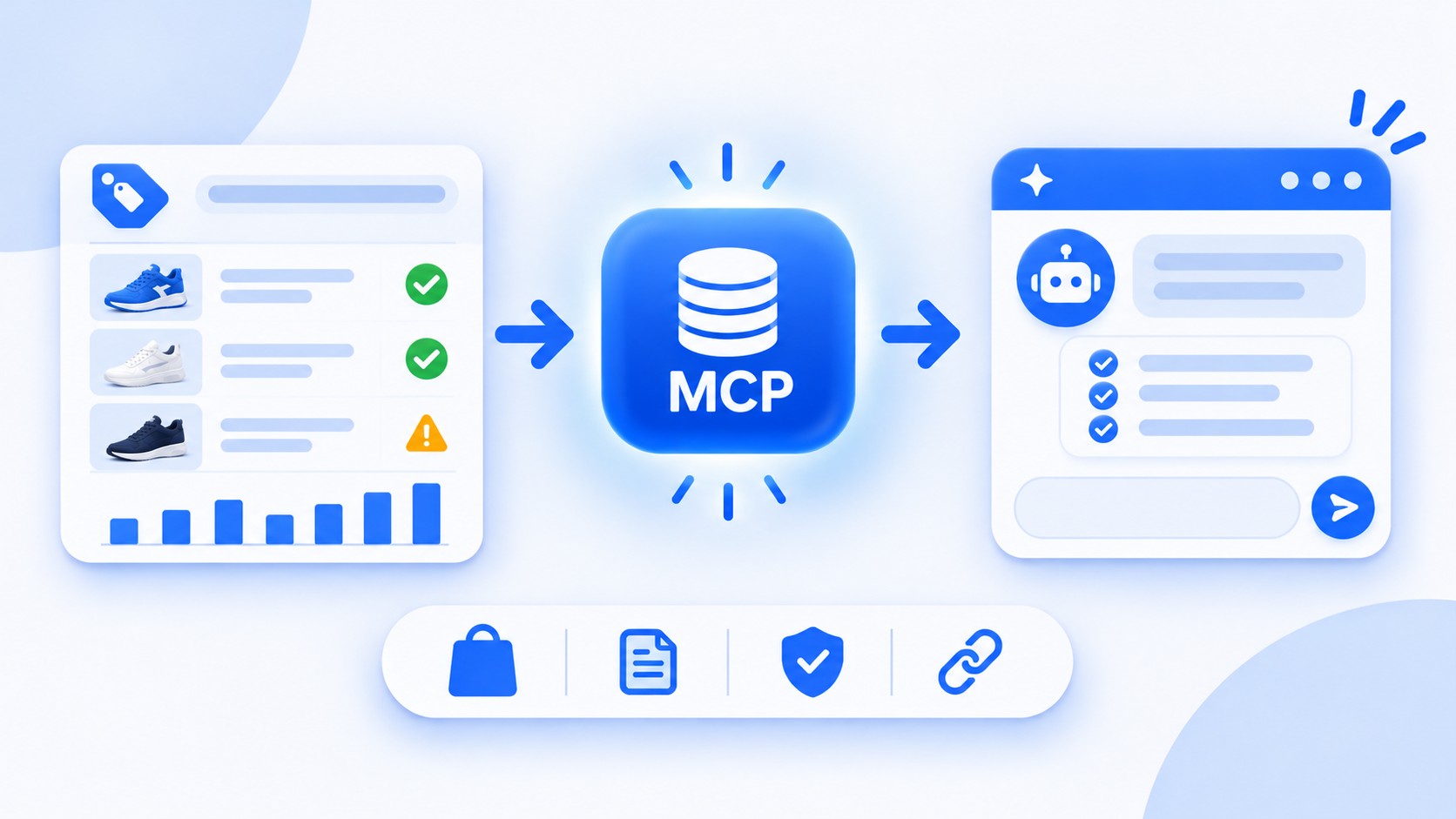
Google Shopping MCP refers to the Model Context Protocol servers Google has released for the Merchant API. They let an AI assistant, such as Claude, work with Merchant Center information and Google's developer documentation through a standard connection. There are two separate services: a documentation server that helps developers write code, and an alpha Access Service that can read your Merchant Center data.
This guide explains what each one does, how to connect an MCP client to the Access Service, and what store owners should check before they try it.
The two Google Shopping MCP services at a glance
| Service | What it does | Needs your account? | Status |
|---|---|---|---|
| Documentation server (Code Assist Toolkit) | Returns relevant snippets of Google's Merchant API docs and code samples | No, it is public and needs no authentication | Available since September 2025 |
| Merchant API MCP Access Service | Reads Merchant Center data and reports, with limited write tools | Yes, with OAuth 2.0 or a service account | Alpha, announced May 2026 |
The documentation server: for developers and migrations
Google's Code Assist Toolkit page describes a retrieval service that returns the most relevant text and code from Google's official resources, including the developer site and the merchant-api-samples repository. It is public, does not require authentication, and has rate limits. It never touches your Merchant Center account.
It matters now because of the Content API for Shopping sunset on August 18, 2026. Anyone moving scripts to the Merchant API can point an IDE assistant at this server and get answers grounded in Google's documentation instead of guesses.
The Access Service: your Merchant Center data
The Merchant API MCP Access Service is labeled an experimental alpha that can change at any time without notice. Google's Merchant API changelog dates its arrival to May 2026. It gives an agent authorized access to your Merchant Center data and Google-generated reports and insights, and Google says it is limited to read operations plus low-risk writes such as creating a data source.
The page lists 13 tools. Read tools include list_products, get_product_by_name, report_search, list_account_issues, list_aggregate_product_statuses, and get_automatic_improvements. The write side includes create_data_source, and fetch_data_source processes the file linked to a data source. That mix covers the questions store owners ask most: why a product was disapproved, how products are performing, and what the account status looks like.
How to connect an MCP client
The endpoint is hosted by Google at merchantapi.googleapis.com/mcp and uses HTTP transport. Authentication follows the normal Merchant API rules, so you need OAuth 2.0 credentials or a service account and a Google Cloud project. For Claude Code, Google's page shows this command:
claude mcp add --transport http merchant-api https://merchantapi.googleapis.com/mcp --scope local --header "Authorization: Bearer {ACCESS_TOKEN}" --header "X-Goog-User-Project: {GOOGLE_CLOUD_PROJECT_ID}"
The project header is required when you use user Application Default Credentials, and not for service account keys or OAuth client IDs. Other clients, including Antigravity and VS Code, have their own configuration files that you can find in the same guide.
What you can ask once it is connected
Disapprovals: "List the account issues blocking my products and tell me which ones to fix first."
Product status: "Summarize how many products are approved, pending, or disapproved."
Performance: "Run a report on clicks and impressions by product for the last 30 days."
Improvements: "Check which automatic improvements my account has turned on."
The assistant reads the data and explains it. You still make the fixes in Merchant Center or your feed, which is where most disapprovals are solved. Our guide to supplemental feeds in Google Merchant Center shows one way to correct attributes without touching your main file.
A safe first test, step by step
Start small. Create a test Merchant Center account, enable the Merchant API in your Google Cloud project, and generate an access token with the right scope. Build the connection in your MCP client, then send a simple request, such as "List the products in this account," and compare the answer with what you see in Merchant Center. Each tool call is a query against live data, so check the type of tool before you run it: a read returns information, and a write changes something. Save your client configuration as a JSON file in a private location, because it can contain a token.
Because the service is an alpha, expect a new version and new features over time, and treat every example you find online as a starting point to confirm in Google's documentation. The best method is to open with read-only questions on the tools that already exist. If you want to enable your agent to help with product listings, remember that the value of each answer depends on the product data behind it, and an assistant can only describe what your feed contains.
How it fits with agentic shopping
Agentic commerce is shopping in which an AI agent searches, compares, and buys on a shopper's behalf. MCP is one piece of Google's work in that area. The MCP servers help an assistant read your Merchant Center data, while the Universal Commerce Protocol covers checkout. Google's support page says UCP is compatible with MCP, and merchants who want native checkout use the UCP integration in Merchant Center, with Google Pay and Google Wallet handling payment details. In short, MCP lets an agent understand your catalog and UCP lets an agent buy from it. Both reward the same thing: accurate product data, including price, shipping, and availability.
Safety tips for an alpha service
Google recommends testing with a test account and configuring your client with built-in tool filtering, so only the tools you need are available. The service shares quota with standard Merchant API calls, so heavy use can affect other integrations. Because an assistant sees whatever the tools return, think about which accounts and which data you connect.
Frequently asked questions
Is there an official Google Shopping MCP server?
Yes. Google publishes two: a public documentation server and the alpha Merchant API MCP Access Service.
Can it change my products?
Mostly no. Google describes the service as read-only operations plus low-risk write tools such as creating a data source.
Is it ready for production?
Not yet. Google labels the Access Service an alpha, so expect changes and test before you rely on it.
Does it use my API quota?
Yes. Google says the service shares quota with standard Merchant API calls, so heavy use can affect your other integrations.
Final thoughts
Google's MCP servers make it easier for an assistant to understand your Merchant Center account, but the answers are only as good as the product data behind them. Clean titles and complete attributes help both shoppers and AI agents, which is why Clarmix Feed Enrichment focuses on improving that data at scale. To see how AI changes visibility more broadly, read our guide to AI shopping visibility in Merchant Center.
Sources
Join our monthly tips!
Get fresh insights on Google Shopping optimization delivered straight to your inbox.